The 12 KPIs Every Small Business Dashboard Should Track (With Formulas)
Twelve numbers, each with a formula, an owner and a review rhythm, are enough to run most small businesses. Here is the list, how to calculate each one and where the data lives in a typical Greek SME.
Orya One
Guide9 min read
Key takeaways
- Track 12 KPIs: four financial, four customer, three operational and one specific to your sector.
- Every KPI needs a formula, an owner, a review frequency and a comparison point.
- In seasonal Greece, compare against the same period last year, not last month.
- Start in a spreadsheet; move to Looker Studio, Power BI or a custom dashboard when manual refreshes stop happening.
A small business dashboard should track about 12 KPIs: revenue, gross margin, net profit margin and cash runway (financial); customer acquisition cost, customer lifetime value, repeat rate and conversion rate (customers); average order value, inventory turnover or utilisation, and on-time delivery or lead time (operations); plus one KPI specific to your sector, such as RevPAR for a hotel or food cost percentage for a restaurant.
Twelve is not a magic number. It is roughly the most an owner can read in five minutes and still act on. Each metric below comes with a formula, a review frequency and a note on what “healthy” looks like. Healthy ranges vary a lot by sector, so the most reliable benchmark is usually your own history. Below we also cover where the data sits in a typical Greek SME and when a spreadsheet stops being enough.
Why most small business dashboards fail
Most small business dashboards fail for the same few reasons, and none of them is about the charting tool.
- Too many metrics. Forty tiles means nobody knows which three matter. If everything is highlighted, nothing is.
- Vanity metrics. Page views, Instagram followers and “total customers ever” tend to go up regardless of how the business is doing. They feel good and change no decisions.
- No owner. A KPI without a named person who explains movements becomes wallpaper within a month.
- Stale data. If someone has to export three files every Monday, the dashboard will be three weeks out of date by March.
- No comparison. “Revenue €42,000” means nothing on its own. Against target, last year or last week, it becomes information.
A simple test for every tile: if this number moved 20% tomorrow, would someone do something different? If not, remove it.
Financial KPIs: is the business making money?
1. Revenue
Formula: total sales invoiced in the period, net of VAT, discounts and returns. Review: weekly. In a seasonal economy, compare each week with the same week last year rather than the previous week. Comparing August with July tells you about the calendar, not about your business. There is no universal healthy range. The useful question is whether growth is ahead of your cost inflation.
2. Gross margin
Formula: (revenue − cost of goods sold) ÷ revenue × 100. Cost of goods sold covers the direct cost of what you sold: ingredients, stock, subcontractors and direct labour where you can attribute it. Review: monthly, and weekly by product line if margins are thin. Margins differ hugely between a software consultancy and a mini-market. What to watch is the trend: a falling gross margin while prices stay flat almost always means supplier costs have crept up unnoticed.
3. Net profit margin
Formula: net profit after all expenses, depreciation, interest and tax ÷ revenue × 100. Review: monthly, using management accounts, with a proper reconciliation quarterly. This is the number that tells you whether growth is worth having. If revenue grows 15% but net margin falls from 12% to 6%, you are working harder for less.
4. Cash runway and cash conversion cycle
Cash runway = cash available ÷ average monthly net cash outflow (months). Cash conversion cycle = days inventory outstanding + days sales outstanding − days payables outstanding. Review: weekly for runway, monthly for the cycle. A common rule of thumb is to hold at least three months of fixed costs. For a seasonal business, the stricter test is whether your cash reaches the first strong month of next season.
Customer KPIs: are you winning and keeping customers?
5. Customer acquisition cost (CAC)
Formula: total sales and marketing spend in the period ÷ new customers acquired in the period. Include ad spend, agency fees and a fair share of staff time. Review: monthly, split by channel where you can. If CAC is rising while conversion rate is flat, your ads are reaching the wrong people or competition for the same clicks has increased.
6. Customer lifetime value (CLV)
Formula (simple version): average order value × purchases per year × average customer lifespan in years × gross margin %. Review: quarterly. The widely quoted rule of thumb is a CLV-to-CAC ratio of about 3:1. Treat it as a sanity check, not a law. Below 1:1, you are paying to lose money on every new customer.
7. Retention or repeat rate
Repeat rate = customers with two or more purchases in the period ÷ all customers in the period. Retention = (customers at end of period − new customers acquired) ÷ customers at start. Review: monthly or quarterly. For hotels, use returning guests as a share of stays. Retention is usually the cheapest growth lever a small business has, and the least measured.
8. Conversion rate
Formula: conversions ÷ visitors (or enquiries) × 100. Define the conversion precisely: a paid order, a booking or a quote request. Review: weekly. Segment by device and channel, because a single blended figure hides problems. Mobile conversion falling while desktop holds steady usually points to a broken or slow mobile page.
Operations KPIs: is the business running well?
9. Average order value (AOV)
Formula: revenue ÷ number of orders (or bills, or bookings). Review: weekly. AOV is where pricing, upselling and menu or product design show up first. A €2 rise in AOV across 400 weekly orders adds €800 a week, the same as 40 extra €20 orders, and is usually easier to win.
10. Inventory turnover or utilisation
If you hold stock, track inventory turnover = cost of goods sold ÷ average inventory value. Days of inventory = 365 ÷ turnover. If you sell time, track utilisation = billable hours ÷ available hours × 100. Review: monthly. Low turnover means cash is sitting on shelves. Utilisation consistently above 90% usually means you are underpriced or understaffed.
11. On-time delivery or lead time
On-time delivery = orders delivered by the promised date ÷ total orders × 100. Lead time = average days from order (or enquiry) to delivery (or completion). Review: weekly. This is the customer’s experience of your operations, and it predicts reviews and repeat business better than most marketing metrics.
12. Your sector-specific KPI (and industry swaps)
Pick the one number people in your industry use to compare businesses. Some generic KPIs also fit certain sectors badly, so swap them:
- Hotels: occupancy = rooms sold ÷ rooms available; ADR (average daily rate) = room revenue ÷ rooms sold; RevPAR = room revenue ÷ rooms available, which equals ADR × occupancy. RevPAR replaces AOV as the headline, and direct-booking share is worth adding next to conversion rate.
- Restaurants: food cost % = cost of food used ÷ food sales × 100; covers = guests served per service; revenue per cover replaces AOV. Many operators work to a food cost target somewhere around 28–35%, but menu mix moves that a lot.
- Trades (electricians, plumbers, builders): jobs completed per week, quote win rate = quotes accepted ÷ quotes sent, and average job value. Utilisation of each technician replaces inventory turnover.
For seasonal businesses, the dashboard becomes much more useful once it shows a forecast line next to actuals. We cover how to build one in our guide to demand forecasting for seasonal businesses.
The 12 KPIs at a glance
| KPI | Formula | Review | Typical data source |
|---|---|---|---|
| Revenue | Net sales excl. VAT, discounts, returns | Weekly | POS, invoicing software, myDATA |
| Gross margin | (Revenue − COGS) ÷ revenue | Monthly | Accounting software, supplier invoices |
| Net profit margin | Net profit ÷ revenue | Monthly | Accounting software, management accounts |
| Cash runway | Cash ÷ avg monthly net outflow | Weekly | Bank exports, accounting software |
| CAC | Sales and marketing spend ÷ new customers | Monthly | Ad platforms, CRM, accounting |
| CLV | AOV × frequency × lifespan × margin | Quarterly | POS or CRM purchase history |
| Repeat rate | Repeat customers ÷ all customers | Monthly | CRM, loyalty system, booking engine |
| Conversion rate | Conversions ÷ visitors or enquiries | Weekly | Google Analytics 4, CRM |
| Average order value | Revenue ÷ orders | Weekly | POS, e-shop |
| Inventory turnover / utilisation | COGS ÷ avg inventory, or billable ÷ available hours | Monthly | Stock system, timesheets |
| On-time delivery / lead time | On-time orders ÷ total orders | Weekly | Order system, job tracker |
| Sector KPI | e.g. RevPAR, food cost %, win rate | Weekly | PMS, POS, quoting tool |
Where the data comes from in a Greek SME
The data almost always exists. It is just spread across four or five systems that do not talk to each other.
- POS and cash registers: transactions, items, timestamps and payment method.
- Accounting and invoicing software: revenue, costs, supplier invoices, receivables. Your accountant may hold this rather than you.
- myDATA: AADE’s electronic books platform, which records the income and expense documents businesses issue and receive. AADE publishes a REST API for submitting and retrieving documents, so your invoicing provider or a developer can pull a consistent record of sales and purchase invoices. See AADE’s myDATA page.
- Bank exports: the only honest source for cash. A CSV download every week is enough to start.
- Google Analytics 4 and ad platforms: traffic, conversions and spend by channel.
- Booking engines, PMS and channel managers: for hotels, the source of occupancy, ADR and booking pace.
- Spreadsheets: stock counts, staff rotas, price lists.
How to build your first dashboard in 4 steps
- Choose and define. Pick your 12 KPIs and write a one-line definition for each: formula, source, owner, review frequency. Agree on edge cases now, such as whether revenue includes VAT or cancelled bookings.
- Collect 12–24 months of history. Without last year’s numbers you cannot compare like with like in a seasonal business. Clean obvious errors: duplicates, test transactions, months where the POS was down.
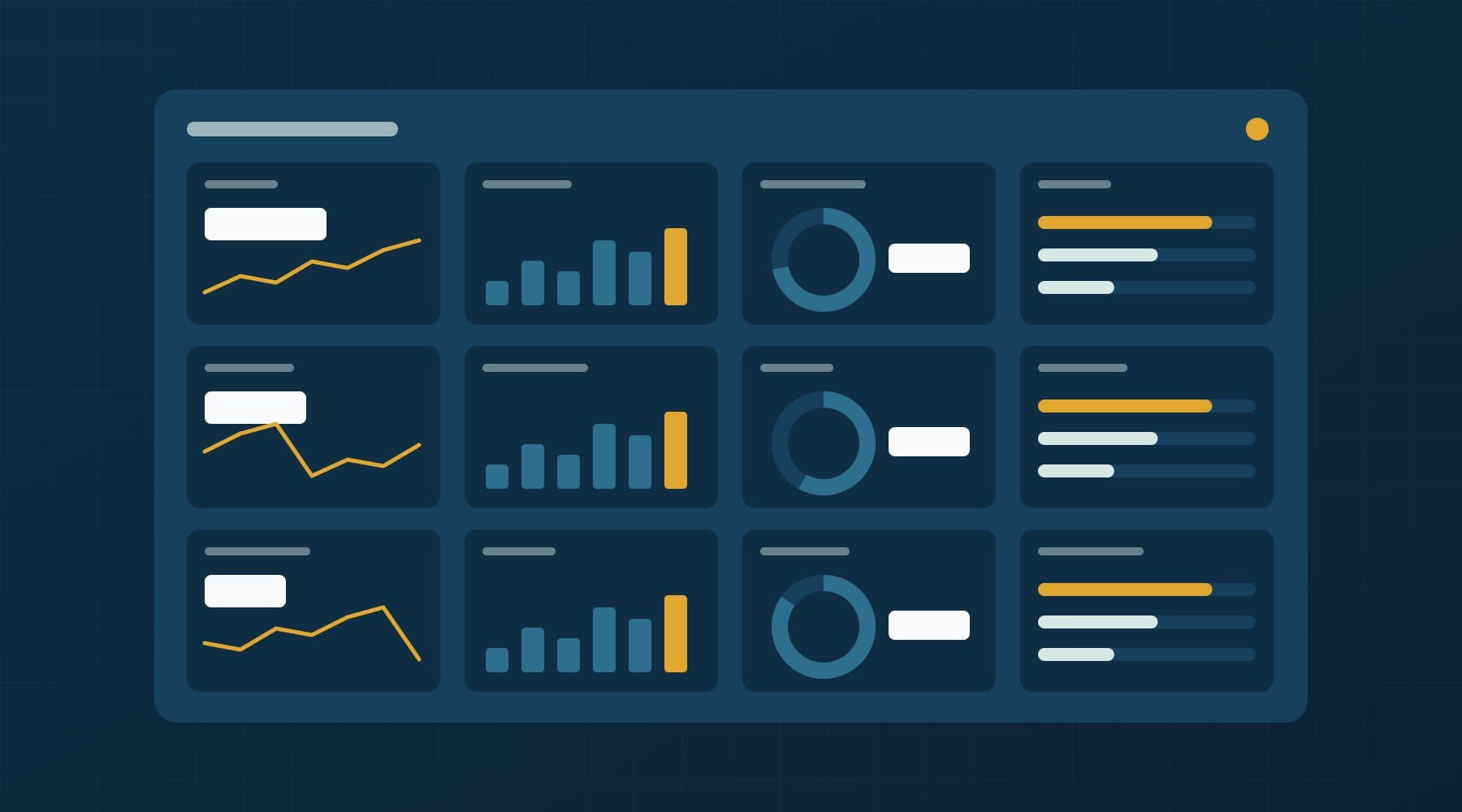
- Build one page. Top row: the four financial KPIs against target and last year. Below: customer and operations KPIs. No more than one screen and no decorative charts.
- Set a review ritual. Fifteen minutes every Monday with the KPI owners. Each owner explains any movement over a threshold you agree on, such as ±10% against last year. A dashboard nobody discusses is a report nobody reads.
Spreadsheet, Looker Studio, Power BI or a custom dashboard?
| Option | Best when | Watch out for |
|---|---|---|
| Spreadsheet (Excel, Google Sheets) | First three months; one or two data sources; one person maintaining it | Manual refreshes stop happening; formulas break silently |
| Looker Studio or Power BI | Data already in Google Sheets, GA4, a database or Microsoft 365; several viewers | Connectors for Greek POS or accounting tools are often missing; logic gets scattered |
| Custom dashboard | Several systems to join, business rules such as cost allocation, role-based access, alerts | Higher upfront cost; needs someone to maintain the data pipeline |
The tipping point for a custom build is usually business logic, not chart quality. Allocating shared costs such as energy, rent and staff across products or locations is hard in a BI tool. Our Cost-to-Profit Operating System was built for that kind of margin visibility: it shows cost, margin and profit in one place. You can see it in our selected work. If you are weighing a build, our custom software development page explains how we scope one.
How Orya One can help
Most of the effort in a good dashboard goes into the unglamorous parts: agreeing definitions, connecting POS, accounting and myDATA exports, and cleaning history so that last year’s comparison actually means something. That is the work our data analysis services cover, from a cleaned spreadsheet model to an automated dashboard.
If you would like a second opinion on which 12 numbers matter for your business, or on whether your current reports can be trusted, get in touch. You will talk directly with the people who would build it.
Frequently asked questions
What KPIs should a small business track?
Most small businesses need about 12 KPIs: revenue, gross margin, net profit margin and cash runway; customer acquisition cost, customer lifetime value, repeat rate and conversion rate; average order value, inventory turnover or utilisation, and on-time delivery or lead time; plus one sector-specific metric such as RevPAR for hotels or food cost percentage for restaurants. Each needs a formula, an owner and a review frequency.
How many KPIs should be on a dashboard?
For a small business, 8 to 12 KPIs on a single screen is a practical limit. Beyond that, owners stop reading and nobody knows which numbers matter. Keep detailed metrics on secondary pages and apply one test to every headline tile: if the number moved 20% tomorrow, would someone take a different decision? If not, it does not belong on the main view.
What is the difference between gross margin and net profit margin?
Gross margin measures revenue minus the direct cost of what you sold, such as ingredients, stock or subcontractors, divided by revenue. Net profit margin goes further and subtracts every expense, including rent, salaries, marketing, depreciation, interest and tax. Gross margin shows whether your pricing works; net margin shows whether the whole business is profitable. A business can have healthy gross margins and still make a net loss.
Can I use myDATA data for business reporting in Greece?
Yes. myDATA is AADE’s electronic books platform, and it records the income and expense documents a business issues and receives. AADE publishes a REST API for submitting and retrieving documents, so invoicing software or a developer can extract a consistent record of sales and purchase invoices. It is useful for revenue and cost reporting, but it does not replace POS or accounting detail such as items sold or stock levels.
Should I use Excel, Power BI or a custom dashboard?
Start in Excel or Google Sheets for the first few months while your KPI definitions settle. Move to Looker Studio or Power BI when several people need the dashboard and your data sources have ready connectors. Choose a custom dashboard when you must join several systems, apply business rules such as cost allocation, control who sees what, or automate alerts that off-the-shelf BI tools handle poorly.